



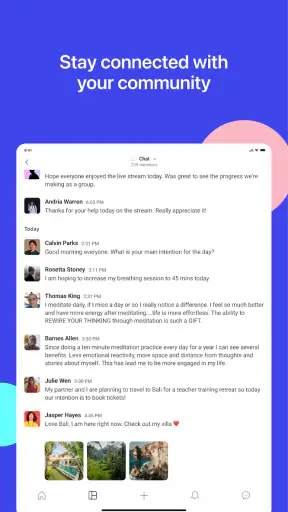
I found Circle most useful when I stopped thinking of it as another social feed and treated it as a shared space for a group with a purpose. CircleCo Inc presents it as an all-in-one community platform for creators and brands, but that description only becomes meaningful when you imagine how people actually use it: a household coordinating around a hobby, a parent keeping up with a teen’s activity group, or several people sharing a community without mixing every conversation into one noisy timeline. My overall impression is positive, especially for organized communities, although it is not the best fit for casual family messaging or anyone who wants a simple, private chat app.
This is a free social app with a Teen content rating, and it has built a substantial audience: more than a million installs, roughly a 4.8 average from about 69 thousand ratings, and around 1.5 thousand written reviews. Those figures suggest that the basic idea works for many people, but they do not remove the need to think carefully about boundaries. A community platform can make coordination easier while also creating another place where notifications, invitations, and social expectations need managing.
How Circle works when several people share a household
The most convincing household scenario is not “everyone in the family uses the same account.” That would blur identity and make conversations difficult to interpret. The better approach is for each person to use their own account and join only the communities that make sense for them. A parent might belong to a creator-led learning group, a teenager might join a moderated interest community, and another household member might participate in a brand or customer group. The value comes from separate participation with occasional coordination, not from turning the app into a shared login.
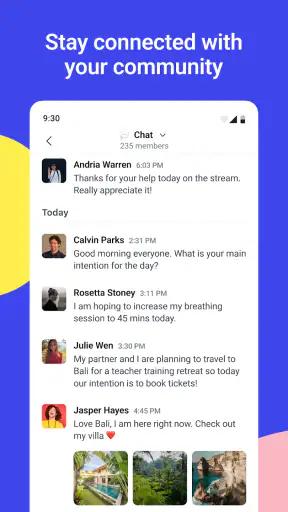
Imagine a family preparing for a weekend activity connected to an online community. One person can check the relevant discussion, another can follow an announcement, and the household can agree on a time or task without forcing every message into a general family chat. Circle is helpful here because the conversation remains attached to the community that gives it context. That is more practical than searching through a long stream of unrelated messages in a conventional messenger.
There is also a useful distinction between a household community and a household communication tool. Circle can host the community side of a routine, such as shared learning, a club, a creator’s membership space, or a brand discussion. It should not automatically replace the family’s existing method for urgent matters. If someone needs an immediate answer about transport, dinner, or a change of plans, a familiar direct-message app may still be faster and more dependable.
My first concrete tip is to decide what Circle is responsible for before inviting everyone in. If it is for a shared interest, keep announcements, questions, and resources there. If it is being used as a general family inbox, the experience can become unnecessarily complicated. The app works best when the community has a clear reason to exist. That simple boundary prevents the platform from becoming another stream that people feel obliged to monitor.
Separate identities make shared use easier
For a shared-device household, account separation matters more than the app’s social features. I would avoid leaving one person signed in if the device moves between family members. Even without discussing specific privacy controls, the practical issue is obvious: a community app can contain conversations, invitations, and personal interactions that are meant for one participant. Switching between accounts carefully is less convenient, but it protects context and reduces accidental posting from the wrong identity.
This is especially important when a parent and teenager use the same tablet. The parent should not assume that being on the same device means every conversation should be read together. Likewise, the teenager should know which account is active before replying. A quick account check may feel mundane, but it prevents the kind of mistake that is embarrassing in a small community where people recognize one another.
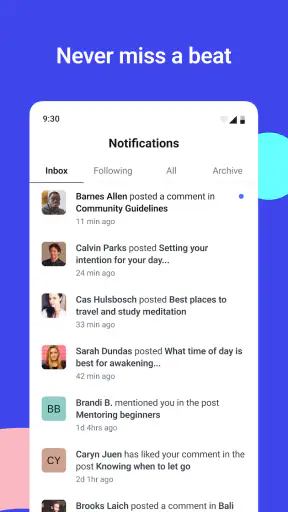
I would also create a household rule about notifications. Circle can be useful for planned coordination, but a device that announces every community interaction can make the app feel intrusive. Muting or limiting attention to the spaces that matter most is a sensible routine if the available settings support the desired behavior. The broader lesson is to treat notifications as a schedule decision, not as proof that every message deserves an immediate response.
Another non-obvious trade-off is visibility across communities. A person may join several spaces for different reasons, but that does not mean they should mentally combine them. A creator-led group, a brand community, and a local interest group can each have different expectations and tones. I found it helpful to pause before posting and ask which audience will see the message. That habit is more valuable than simply learning where the buttons are.
Setup should begin with boundaries, not browsing
Circle is easy to approach as a discovery experience: open it, look around, and follow whatever seems interesting. For household use, I recommend the opposite order. First decide who needs access, what the community is for, and which conversations belong there. Only then should you start exploring. This reduces the chance that a shared device becomes filled with unrelated communities that no one remembers joining.
The developer is CircleCo Inc, and the app has been available since December 8, 2022. Its current version is 3.19.4 and it supports devices running Android 7.0 or later. That broad operating-system support makes it practical for households with a mixture of newer and older Android devices, although the everyday experience can still vary depending on the device, screen size, and how many other apps are running.
Because Circle is free to install, the initial decision is not usually about purchase cost. The more important question is whether the community itself is worth the attention it asks from you. A free app can still consume time through frequent updates, discussions, and social pressure. I would judge it by the quality and usefulness of the spaces you join rather than by the fact that downloading it costs nothing.
For a parent helping a teenager get started, I would make the first session collaborative without turning it into surveillance. Look at the community’s purpose together, discuss what kind of information should never be posted publicly, and agree on what to do if a conversation becomes uncomfortable. That conversation is more useful than pretending the platform alone can guarantee a safe experience.
Coordination is strongest when information stays organized
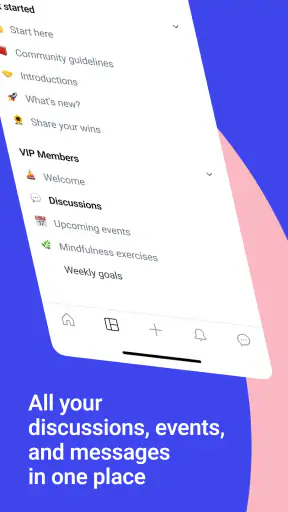
Circle’s main advantage over a normal family messenger is structure. A messenger is excellent for quick exchanges, but its history can become a pile of messages. In a community platform, the surrounding group gives a discussion a reason and an audience. That makes it easier to return to a topic later, particularly when the household is following a course, an interest group, or a creator’s ongoing material.
I would use it for questions that benefit from shared answers. If one household member asks about a recurring activity and another participant responds with useful context, the exchange can help more than one person. I would not use it for sensitive family details or personal disputes. The more people a community includes, the more carefully I would choose what belongs in a public or semi-public discussion.
A practical workflow is to separate reading from responding. During a short check-in, scan announcements first, then review conversations that affect the household, and only afterward decide whether a reply is necessary. This avoids the common trap of opening the app for one update and getting pulled into every active discussion. It also gives teenagers a model for participating without feeling that they must answer instantly.
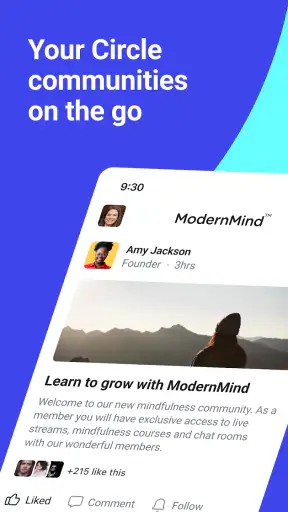
For creators and brands, the same structure can be valuable in a different way. A creator can gather an audience around ongoing conversations instead of relying only on scattered social posts. A brand can give customers a place to discuss a product or ask questions. From a household perspective, that means Circle may enter the home through one person’s interest in a creator or brand, then become relevant to others when the community offers practical information. The trade-off is that promotional or community-driven content can compete with the discussions a family actually cares about.
Compared with a large general social network, Circle feels more purpose-led when the community is well managed. Compared with a private messenger, it offers more context but less simplicity. Compared with a forum, it can feel more direct and personal, yet that closeness may increase the pressure to participate. I would choose Circle when the group’s shared identity matters. I would choose a messenger for immediate household logistics and a traditional forum when I want slower, more searchable public discussion.
Age, trust, and the limits of household oversight
The Teen rating is an important part of the decision for families. It signals that this is not an app I would hand to a young child without thoughtful supervision. At the same time, an age label is not a substitute for trust, conversation, or judgment. A teenager’s experience depends heavily on which communities they enter and how those communities are run.
My advice is to treat membership as the key decision point. Before joining a space, look at its purpose and consider whether the people participating are likely to share the teenager’s interests and expectations. Encourage them to question invitations that feel rushed, overly personal, or unrelated to the reason they installed the app. This is a general digital habit, but Circle’s community-based design makes it particularly relevant because the quality of the experience depends on the spaces around the account.
Parents should also be honest about what they expect to know. If the goal is to coordinate a shared activity, say that clearly. If the goal is to inspect every interaction, recognize that this can damage trust and may not teach good independent decision-making. A better household agreement might cover when Circle is checked, what information stays private, and when a difficult interaction should be brought to an adult.
I would skip Circle for a child who is not ready to manage community invitations or understand audience boundaries. I would also hesitate to introduce it into a household where everyone expects one shared profile. The app’s social usefulness depends on people knowing who is speaking and why they are present. If that separation cannot be maintained, a simpler family tool is the safer and less confusing option.
Small habits that improve the experience
One useful habit is to give each community a role in your mental filing system. I might think of one space as “learning,” another as “customer discussion,” and another as “social interest.” That makes it easier to decide what deserves attention and reduces the chance of replying in the wrong tone. It also helps when a household member asks what a notification is about: the answer is tied to the community’s purpose rather than to a vague stream of activity.
A second tip is to keep household decisions outside the community unless the whole group genuinely needs them. If a creator’s space is being used to follow a shared course, the family can discuss its schedule privately and use Circle for course-related questions. This keeps personal arrangements from becoming part of a wider audience while preserving the benefit of community knowledge.
A third is to review membership occasionally. People’s interests change, and a community that was useful last month may no longer deserve regular attention. Leaving or ignoring irrelevant spaces can make the app feel lighter. I would do this together with a teenager at first, then let them take more responsibility as they show good judgment. The goal is not to accumulate communities but to keep a manageable set of meaningful ones.
There is also a subtle emotional trade-off. A well-run community can make a person feel supported and connected, but a busy one can make silence feel like absence. If a household member starts checking repeatedly for replies or feeling guilty about missing discussions, the app is no longer serving coordination well. Set a reasonable checking rhythm and make it clear that participation is not the same as constant availability.
Who should install it, and who should pass?
I recommend Circle to creators’ audiences, organized interest groups, brand communities, and households that want to participate in those spaces with clearer context than a standard social feed provides. It is particularly suitable when several people need access to the same ongoing conversation but do not all need the same role. The free entry point and broad Android compatibility make trying it straightforward, provided everyone understands the account and attention boundaries first.
I would pass on it if your only goal is a quick family chat. A dedicated messenger will probably feel faster, more familiar, and less dependent on community structure. I would also pass if you dislike social platforms that ask you to keep up with several ongoing conversations. Circle is not a magic solution for household organization; it is a place where organized communities can become useful or disorganized communities can create more noise.
For iPhone and Android users, the important choice is not simply whether the app is available on a device. It is whether the household can use it with separate identities, sensible notification habits, and a shared understanding of what belongs in each community. Those conditions determine far more than the installation itself.
My household verdict
After using Circle as a community tool rather than a replacement for every other social app, I can see why it appeals to creators, brands, and people who want a more focused gathering place. Its strongest quality is context: discussions have a home, and that home can make shared interests easier to follow. For a household, that can support learning, hobbies, and coordinated participation without forcing every conversation into one family thread.
My reservations are equally practical. Separate accounts matter, the Teen rating calls for active judgment, and the platform is not designed to remove the need for family communication rules. The free price is welcoming, but attention remains the real cost. If your household joins too many spaces or expects instant replies, Circle can become another source of digital clutter.
My final recommendation is to start with one clearly defined community, one account per person, and a short agreement about privacy, notifications, and response time. Give the app a specific job for a week or two, then decide whether it is helping. For a household that values organized participation, Circle is worth trying; for simple private coordination, I would choose a lighter tool. That distinction captures my experience better than calling it universally essential. It is a capable social app when the community has purpose, the boundaries are clear, and everyone using it understands that connection does not require constant availability.


